Why the Freighter Wallet Is Your Gateway to the Stellar Ecosystem
The Stellar network has quietly become one of the most reliable blockchains for fast, low-cost payments and tokenized assets. But to truly make the most of what Stellar offers, you need a tool that feels intuitive, secure, and deeply integrated with the network’s apps. That is exactly where the freighter wallet steps in. Unlike generic crypto wallets that simply store coins, Freighter is designed as a browser extension and mobile wallet that connects you directly to the growing world of Stellar applications. Whether you are sending USDC, trading on a decentralized exchange, or exploring new projects, Freighter acts as your secure, non-custodial gateway.
In this article, we’ll break down what makes Freighter stand out, how to set it up, and why it has become the go-to choice for Stellar users. We’ll also compare it to other wallets, answer common questions, and help you decide if it’s the right fit for your digital asset management needs.
What Is Freighter Wallet?
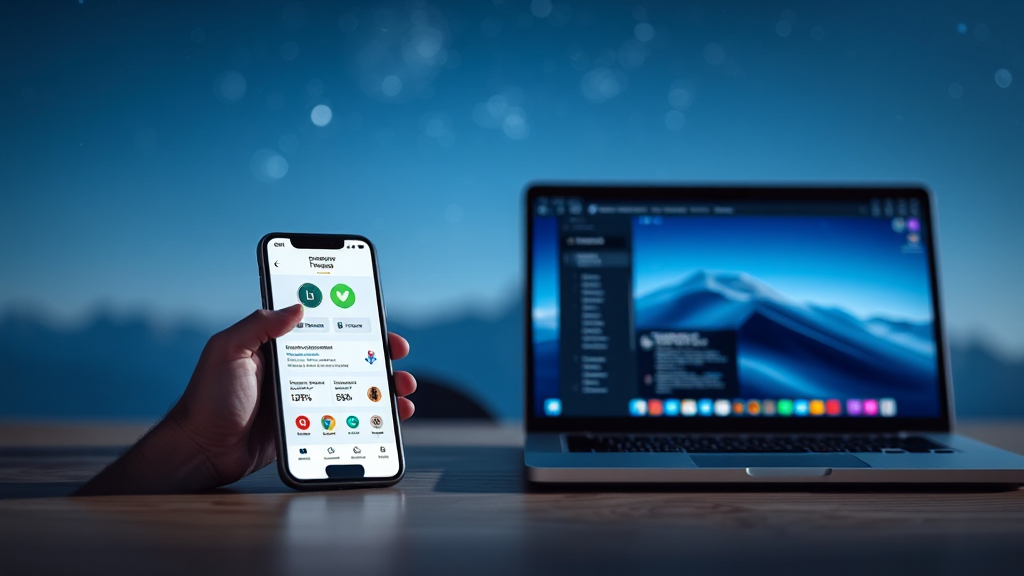
Freighter is a non-custodial wallet built specifically for the Stellar blockchain. It exists as a browser extension for Chrome, Brave, Edge, and other Chromium-based browsers, as well as a mobile app for iOS and Android. The wallet allows you to send, receive, and manage Stellar assets like XLM and USDC directly from your browser or phone, without having to rely on a centralized exchange.
But Freighter is more than just a place to store your tokens. Its core mission is to serve as a bridge between you and Stellar apps. When you visit a decentralized application built on Stellar, Freighter lets you connect, sign transactions, and interact with the app seamlessly. This makes it an essential tool for anyone using Stellar’s growing DeFi, NFT, and payment ecosystems.
Because it is non-custodial, you retain full control over your private keys. Your keys never leave your device, and you are the only person who can authorize transactions. This aligns perfectly with the ethos of blockchain technology, where self-custody is paramount.
The Importance of a Non-Custodial Wallet
In the world of cryptocurrency, the phrase “not your keys, not your coins” is more than a catchy slogan—it’s a fundamental principle. Centralized exchanges and custodial services hold your assets on your behalf, which means you are trusting them to keep your funds safe. History has shown that exchanges can be hacked, go bankrupt, or freeze user funds. A non-custodial wallet like Freighter eliminates that risk.
When you use Freighter, your private keys are stored locally on your device. Transactions are signed locally and then broadcast to the Stellar network. This means that even if Freighter’s servers were compromised, your funds would remain safe because the attacker would not have access to your private keys. This level of control is especially important for users who hold significant amounts of assets or who rely on Stellar for everyday payments.
Freighter takes security seriously by offering features like password protection, recovery phrases, and hardware wallet support. You can even connect a Ledger device to Freighter for an extra layer of security, ensuring that your keys are stored on a physical device that never touches the internet.
Key Features of Freighter Wallet
Freighter is packed with features that make it a joy to use for both beginners and power users. Here are some of the standout capabilities:
- Multi-Asset Support: Freighter supports all Stellar-based assets, including XLM, USDC, and any custom tokens issued on the network. You can easily view your balances and transaction history.
- Built-In Swap Function: The wallet includes a simple swap feature that allows you to exchange one asset for another directly within the interface. This is powered by Stellar’s decentralized exchange (DEX), ensuring competitive rates.
- App Integration: Freighter connects to dozens of Stellar apps, including marketplaces, lending platforms, and payment services. You can authorize transactions with a single click, making the experience smooth and efficient.
- Hardware Wallet Support: For advanced users, Freighter can be paired with a Ledger hardware wallet. This keeps your private keys offline while still allowing you to use the wallet’s interface.
- Network Selection: You can switch between the public Stellar network and test networks, which is useful for developers who are building and testing new applications.
- Account Creation and Import: Creating a new wallet is straightforward, and you can also import an existing Stellar account using your secret key or recovery phrase.
These features combine to create a wallet that is not only functional but also pleasant to use. The clean interface and thoughtful design make managing your digital assets feel less intimidating, even if you are new to the world of cryptocurrency.
How to Set Up Freighter Wallet
Getting started with the freighter wallet app is a simple process that takes only a few minutes. Here’s a step-by-step guide:
- Download the Extension or App: Visit the Freighter website or your browser’s extension store to download the appropriate version. For mobile, search for “Freighter” in the App Store or Google Play Store.
- Create a New Wallet: Open the app and choose “Create a new wallet.” You will be prompted to set a password. This password is used to encrypt your local data and must be entered each time you use the wallet.
- Back Up Your Recovery Phrase: Freighter will generate a 12-word recovery phrase. Write it down and store it in a safe place. This phrase is the only way to recover your wallet if you lose your device or forget your password. Never share it with anyone.
- Confirm Your Recovery Phrase: To ensure you have written it down correctly, Freighter will ask you to select certain words from your phrase in order.
- Add Funds: Once your wallet is created, you can add funds by sending XLM or other Stellar assets to your public address. You can find your address by clicking on your account name.
That’s it! Your Freighter wallet is now ready to use. You can start sending and receiving assets, connecting to Stellar apps, and exploring the ecosystem.
Using Freighter with Stellar Apps
One of the most compelling reasons to use Freighter is its seamless integration with Stellar apps. When you visit a dApp, you’ll often see a “Connect Wallet” button. Clicking it will prompt you to select Freighter as your wallet provider. Once connected, you can perform actions like trading, minting NFTs, or participating in governance.
For example, imagine you want to buy an NFT on a Stellar-based marketplace. With Freighter, you simply browse the marketplace, click “Buy,” and a transaction request pops up in your wallet. You review the details, confirm, and the transaction is signed and broadcast. The entire process takes seconds, and you never have to leave the app or manually copy addresses.
This level of integration is possible because Freighter uses a standard protocol called Stellar Web Authentication (SEP-10) and interacts with the network’s Horizon API. Developers can easily integrate Freighter into their apps using the Freighter API, which is well-documented and actively maintained.
For users, this means that the Stellar ecosystem is not just a collection of isolated tools but a cohesive environment where your wallet is the key to unlocking everything. Whether you are a trader, a collector, or a developer, Freighter makes the experience more connected and efficient.
Security Best Practices for Freighter Users
While Freighter is secure by design, you still need to follow good security habits to protect your assets. Here are some essential tips:
- Keep Your Recovery Phrase Offline: Never store your recovery phrase on your computer, in cloud storage, or in an email. Write it down on paper and keep it in a safe place, such as a safe deposit box.
- Use a Strong Password: Your Freighter password should be unique and complex. Avoid using the same password you use for other services.
- Beware of Phishing: Always double-check that you are on the official Freighter website or extension store. Phishing sites can mimic legitimate ones to steal your credentials.
- Enable Hardware Wallet Support: If you hold a large amount of assets, consider using a Ledger hardware wallet with Freighter. This adds an extra layer of security.
- Keep Software Updated: Regularly update your Freighter extension or app to ensure you have the latest security patches and features.
By following these practices, you can significantly reduce the risk of losing your funds to hacks or scams.
Freighter vs. Other Stellar Wallets
There are several wallets that support Stellar, including Lobstr, Solar, and StellarX. So what makes Freighter different?
Lobstr is a mobile-first wallet that offers a simple interface and integrated exchange. Solar and StellarX are also popular, but they are primarily web-based and may not offer the same level of browser extension integration. Freighter’s unique strength lies in its focus on being a browser extension that connects seamlessly with Stellar apps. This makes it the preferred choice for users who actively use dApps and need a wallet that can keep up with fast-paced interactions.
Additionally, Freighter is developed by the Stellar Development Foundation, which gives it a level of credibility and ongoing support that other wallets may lack. The team is constantly updating the wallet to support new features and improve user experience.
For those who need to manage assets on the go, the Freighter mobile app provides the same functionality as the browser extension, ensuring you have access to your funds wherever you are.
Conclusion
In a world where digital asset management is becoming increasingly important, having a reliable and secure wallet is essential. The freighter wallet stands out as a top choice for anyone involved with the Stellar network. Its non-custodial nature, robust feature set, and seamless app integration make it a powerful tool for managing your cryptocurrency.
Whether you are a seasoned crypto enthusiast or just starting your journey, Freighter offers a user-friendly experience without compromising on security. By choosing Freighter, you are not just getting a wallet—you are gaining access to the entire Stellar ecosystem, right from your browser or mobile device.
Ready to take control of your Stellar assets? Download Freighter today and experience the future of decentralized finance.
Frequently Asked Questions
Is Freighter wallet safe to use?
Yes, Freighter is considered safe because it is non-custodial, meaning you control your private keys. It also supports hardware wallet integration and follows best security practices. However, you must follow proper security habits, such as keeping your recovery phrase offline, to ensure your funds remain safe.
Can I use Freighter on my mobile phone?
Absolutely. Freighter offers mobile apps for both iOS and Android. The mobile app provides the same core functionality as the browser extension, allowing you to send, receive, and interact with Stellar apps on the go.
Does Freighter support USDC?
Yes, Freighter supports any asset on the Stellar network, including USDC. You can send, receive, and swap USDC directly within the wallet.
How do I recover my Freighter wallet if I lose my device?
If you lose your device, you can recover your wallet by installing Freighter on a new device and using your 12-word recovery phrase. This phrase is the key to your wallet, so it’s crucial to store it safely and never share it with anyone.